
At most growing companies, billing takes an entire day. Sometimes two. Someone in the office pulls the completed visits, checks them against what was sold, builds the invoices, works out which programs bill this month, and then opens the spreadsheet of who’s past due.
It takes all day because the work is sold half a dozen different ways. A commercial maintenance agreement signed for three years, with an increase each spring. A fertilization program sold at one price for the season. Enhancement work with a deposit up front and the balance at completion. Snow billed per push. A property manager who wants one invoice a month across a dozen sites.
The rules for each rest on whoever does the billing. The usual fix is adding another person to help with billing. That adds cost, but it doesn’t increase visibility.
This fall, we rebuilt billing in LaunchPad OS around two ideas: invoices should build themselves, and you should be able to see the entirety of your billing in one place.
The first is the end of building invoices by hand. It starts on your estimates, where each line carries its own billing rule, set when the work is sold: per visit, installments across the season, a deposit and milestones, time and materials, or a single bill at completion. A multi-year agreement bills each contract year at that year’s price, increase included.
When the customer signs, the rule goes with the job. Seasonal programs bill in equal payments and pause when the season ends. A finished visit creates its own invoice. Accounts that want one invoice a month get one on their billing day, every line labeled by property. Customers pay from a link or with autopay, and invoices and payments sync to QuickBooks.
The second is the end of the past-due spreadsheet. Your Billing page shows what’s ready to bill, what’s set to bill over the next 30 days, which recurring schedules are running, and what’s past due, sorted by how late it is. Nobody has to build a report to answer, “Where do we stand?”

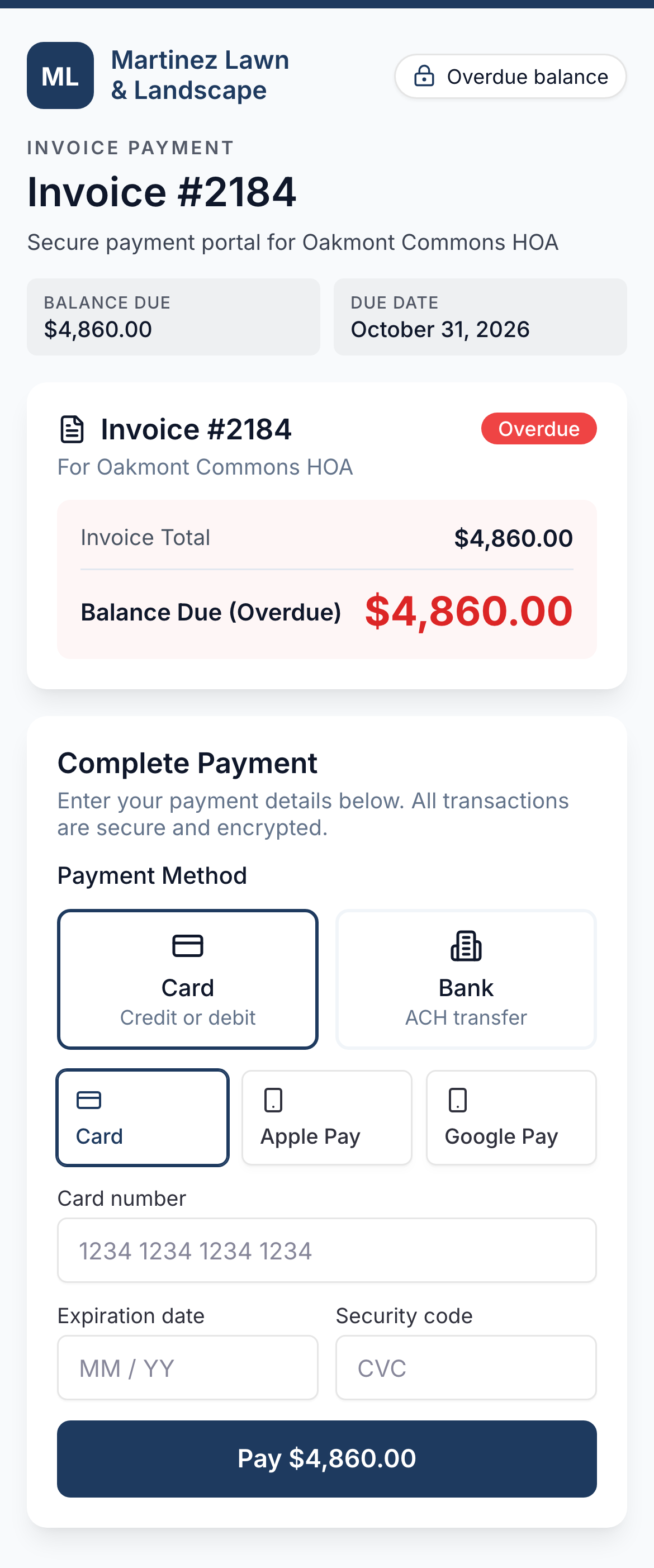
Every invoice carries a pay link: card, bank account, Apple Pay, or Google Pay. Customers can save a payment method and turn on autopay, and commercial accounts can pay a full month’s balance from one link.
Sample data
Know exactly where billing stands before anyone asks. Open a sample company’s Billing page. See who owes what, bill a finished visit, and find out why an invoice was held.
Try it yourselfAutomation only earns its keep when you can trust it. If a bill comes due for visits that were never scheduled or never done, or it’s running more than a week late, LaunchPad OS doesn’t charge the card blindly. It holds the invoice as a draft and gives you details on why, letting you decide how to handle it. A finished visit that never got invoiced shows up with a button to bill it. So do failed payments and unpaid deposits.
That’s how a day of billing turns into a few minutes. The invoices are already built, so billing day comes down to the handful that need a decision. And because the rules are set once, when the job is won, they hold as you add crews, accounts, and service lines.
I’ve spent fifteen years on one side of this or the other — running a lawn care company of my own and building software for the people who do. Billing rarely breaks down all at once. Instead, it leaks little by little: a visit here and a declined card there. Each one is small enough to slip by on its own, but their impact sure adds up by the end of the season.
Sell the work the way your customers want to pay for it, and invoice it the same way. Only now, give your office their day (or days) spent on billing back to let them focus on more important work.
Sample company, sample data. No payment is taken.

Drew Wagner is Founder & CEO of LaunchPad, the company behind LaunchPad OS: the system of intelligence for lawn care, landscaping, artificial turf, snow & ice, and pest & mosquito operations. He has spent fifteen years in the green industry as an operator, technology executive, and product founder.