

Field service management software designed for operators.
Not tech wizards.
Software built for how your business actually runs, complete with every tool you need: From marketing and lead capture to contract and operations to invoice and payment, and beyond. No expensive add-ons or integrations required.
Use the navigation below to explore by workflow stage, or ask the assistant how any specific feature works for your trade.
 AI
AIOr book a demo to talk to someone directly.
Marketing, Website, & Lead Capture
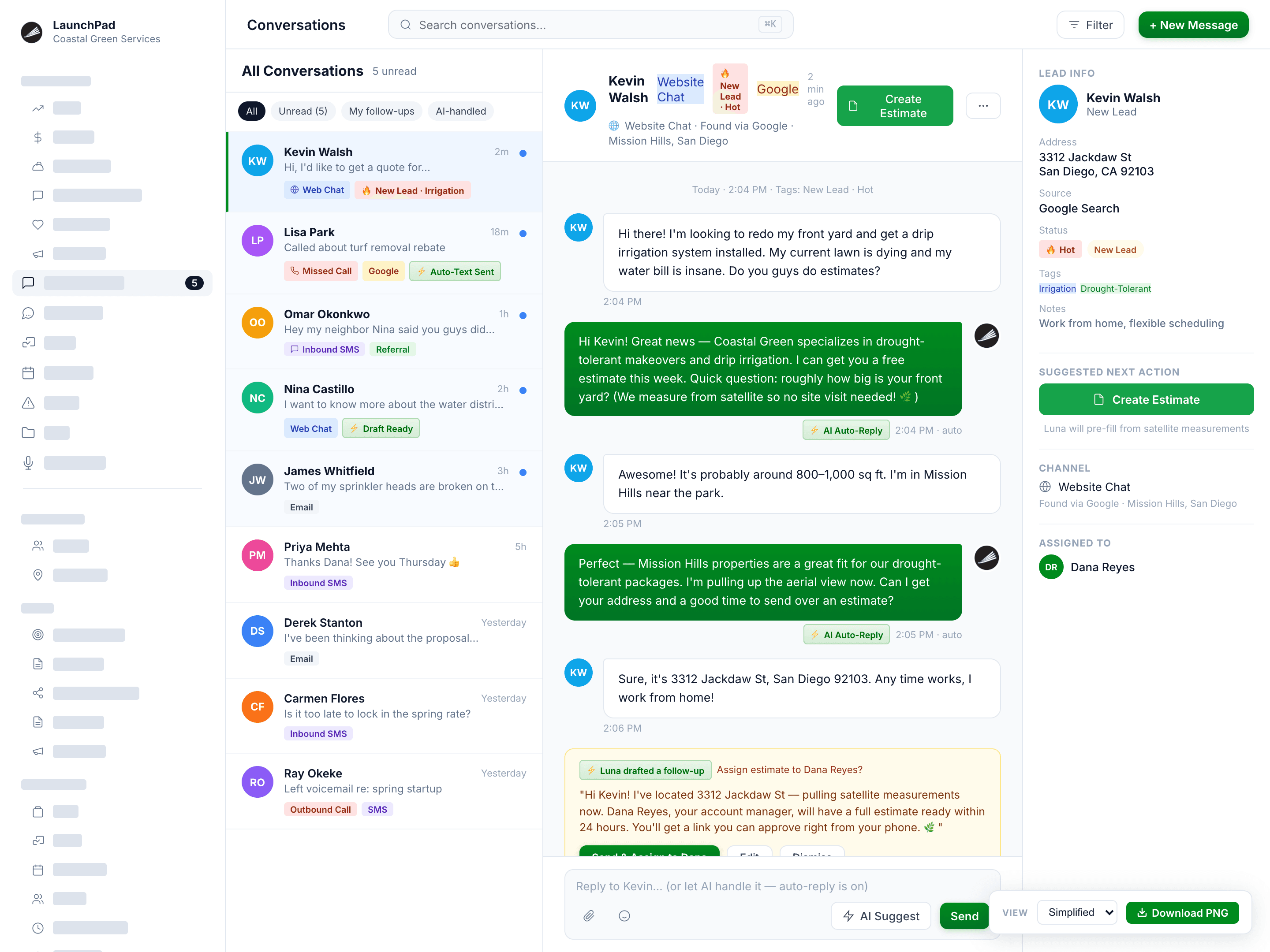
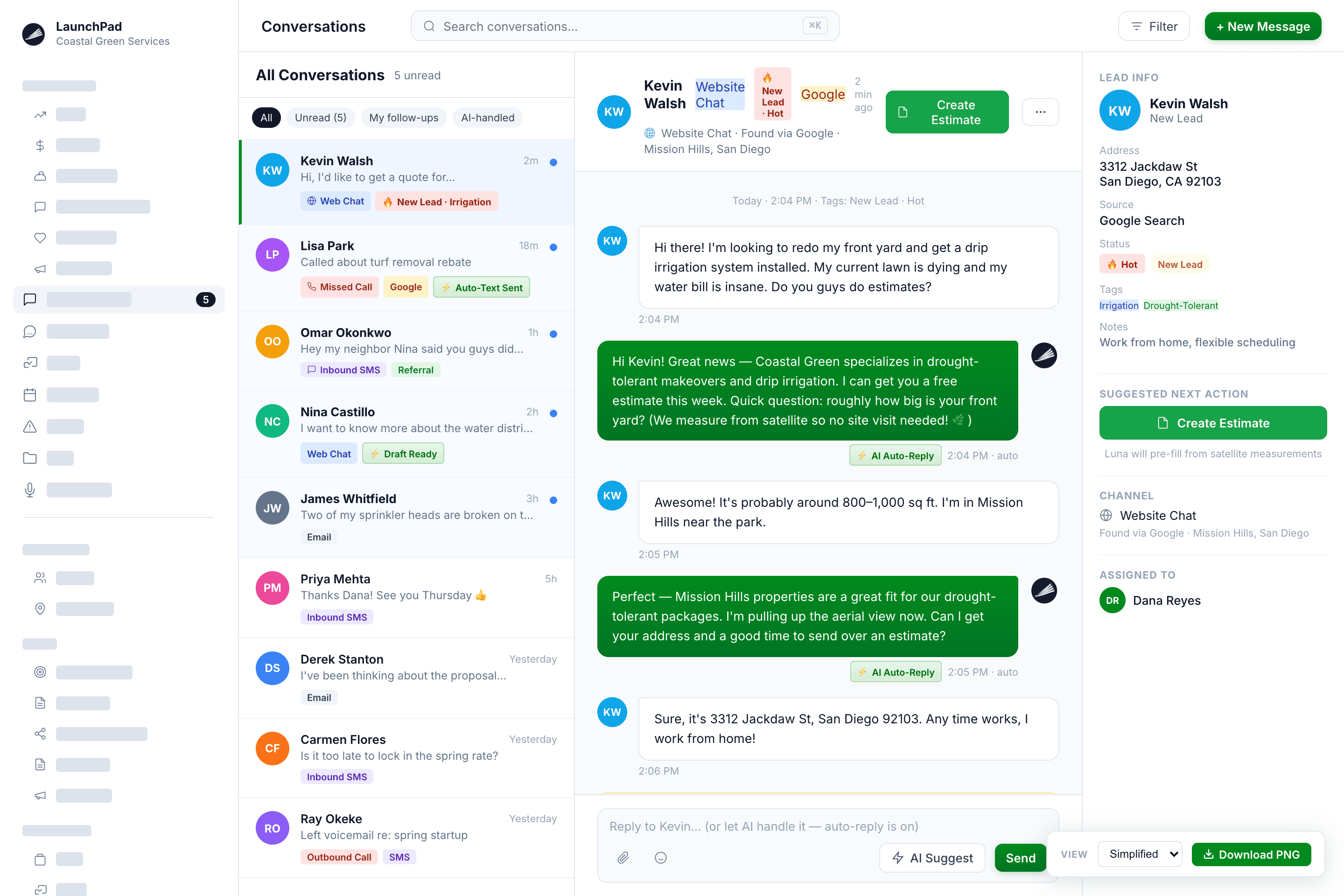
Attract new customers and track every call, text, and web inquiry in one place so nothing falls through.
- Hosted website with AI chatbot: 24/7 lead capture, including the 9 PM inquiries that used to disappear by morning
- Quote & booking forms: Inquiries land directly on the customer record; ready for follow-up, not stuck in someone's inbox
- Lead source tracking (i.e. Google, Angi, referral, direct): Know what's working and where to find new customers
- Outbound campaigns: SMS, email, and AI calling for renewals, off-season check-ins, and add-on sales; no Podium or Mailchimp on the side
- Local SEO & Google Business Profile management: Show up when prospects search "lawn care near me"
Why it matters
A visitor who finds your website, chats with your live chatbot, and gets an instant reply becomes a potential customer before your competitor even knows they exist. LaunchPad OS gives you the website (if you need one), the chat, the follow-up, and the inbox — all connected.
Calls, Texts, & Follow-Ups
Every call answered, every text replied to, every follow-up sent — without you being the one to do it.
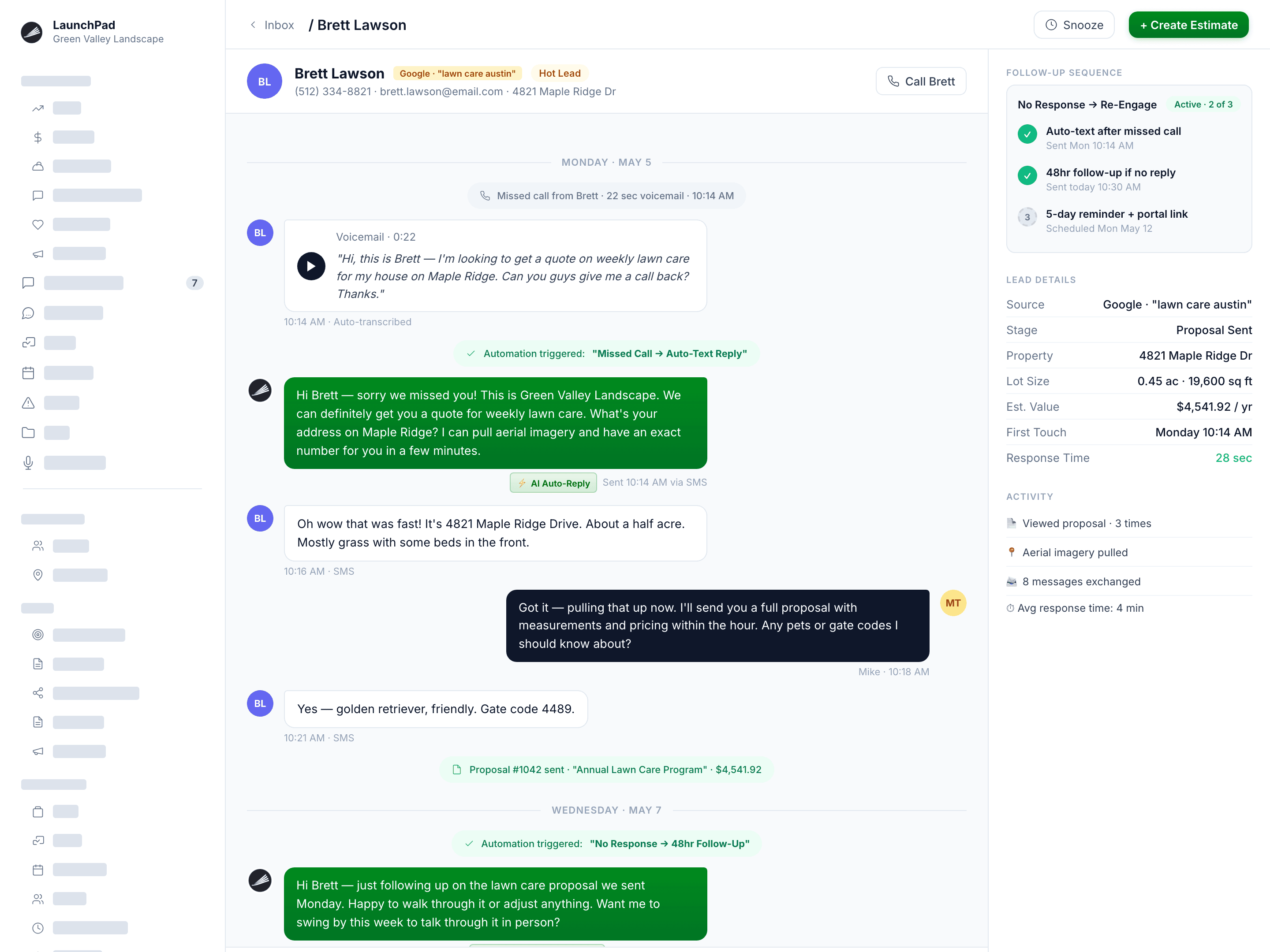
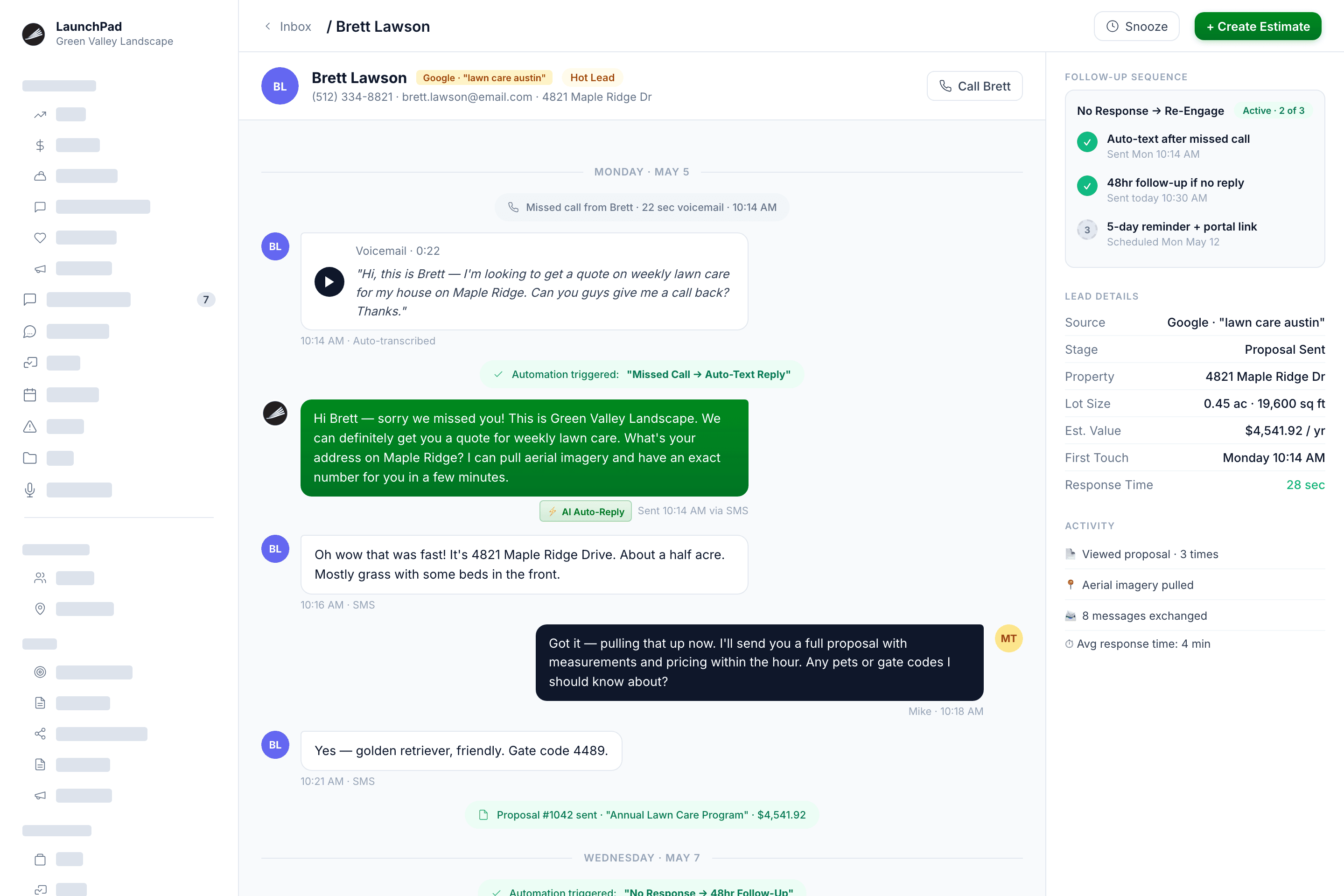
- Live inbound queue: Every call, text, email, and web chat threaded in one feed on the customer record
- Missed call handling: Unanswered calls logged and flagged for follow-up automatically
- Built-in AI auto-replies: Respond to new inquiries the moment they come in, even when you're mid-route
- Prospect follow-up sequences: Automated outreach to re-engage with new leads within a set timeline
- Broadcast SMS campaigns: Reach your full customer list for seasonal announcements, renewal pushes, or promotions
- All conversations logged & threaded: Your team sees the full history before picking up the phone
Why it matters
Every unanswered call is a lead your competitor could pick up. Every unfollowed up bid is a potential opportunity lost. Every unreviewed call is a coaching opportunity you miss. LaunchPad OS handles all of the above for you. No additional headcount needed.
Measuring, Estimating, & Sales
Measure any property remotely. Send a professional proposal before your competitor leaves their truck.
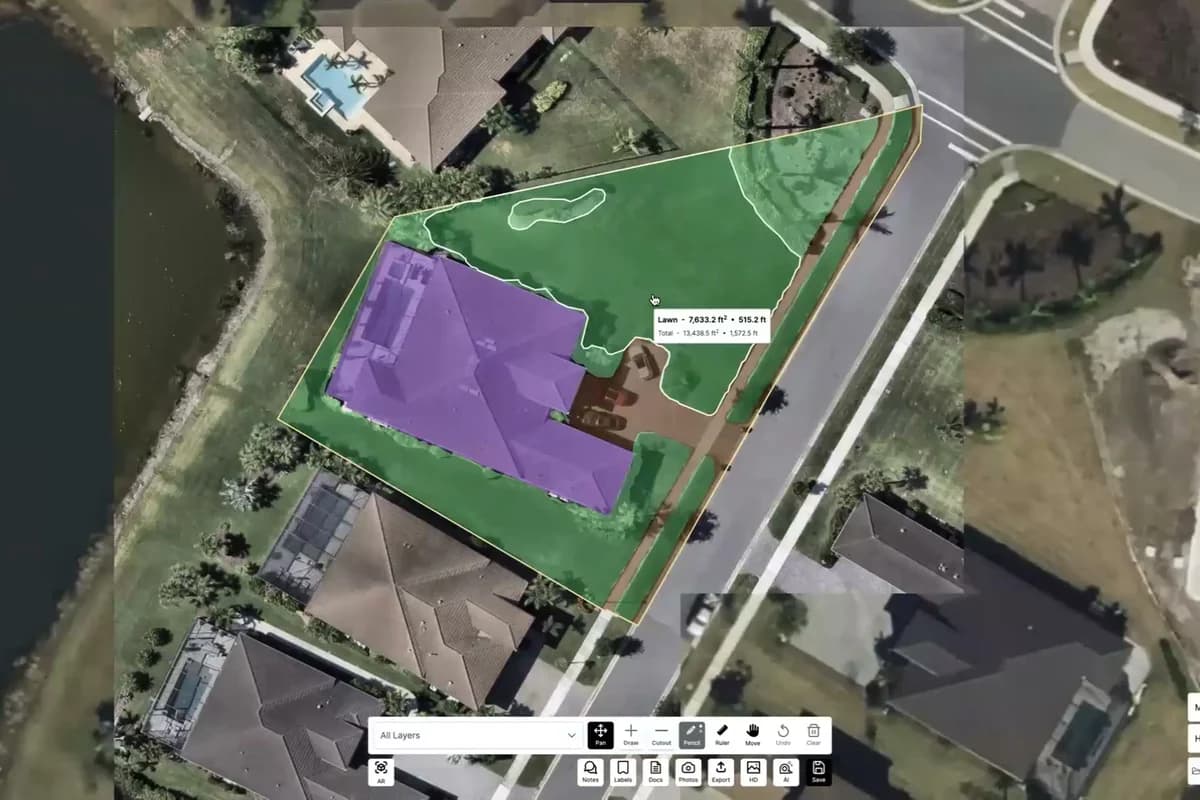
- Remote property measuring from aerial imagery: No site visit required, no wasted windshield time
- Material takeoffs calculated automatically: Turf rolls, infill, base material; mulch cubic yards; acreage-based mowing pricing
- Professional proposal builder: Aerial imagery, itemized line items, branded to your business
- Estimate templates by service: Not blank forms you rebuild every time
- Pipeline tracking: See every open opportunity, its status, and its estimated close date
- Digital signature on bid acceptance: Customers sign via a secure link — no printing, scanning, or chasing a signed PDF
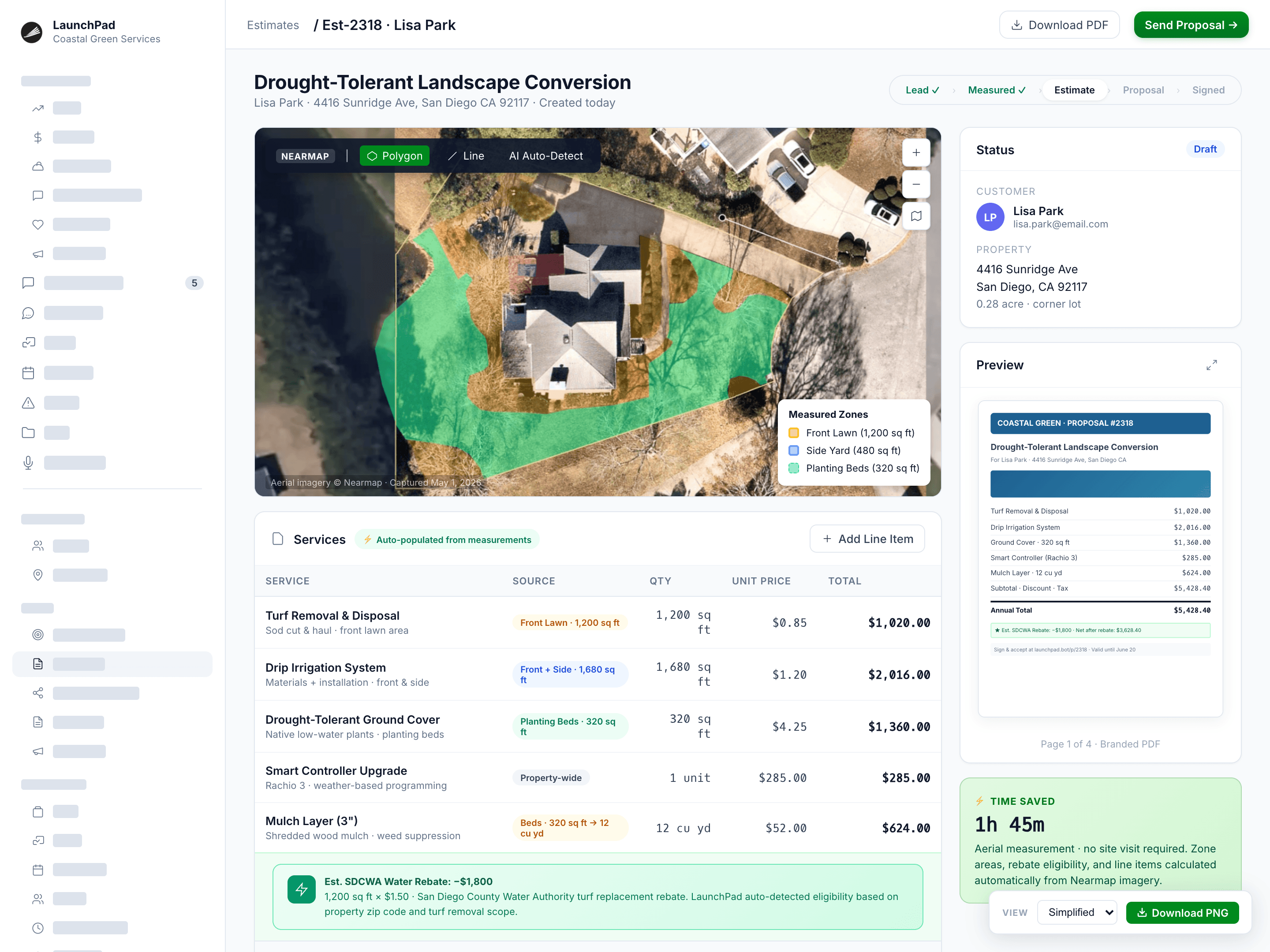
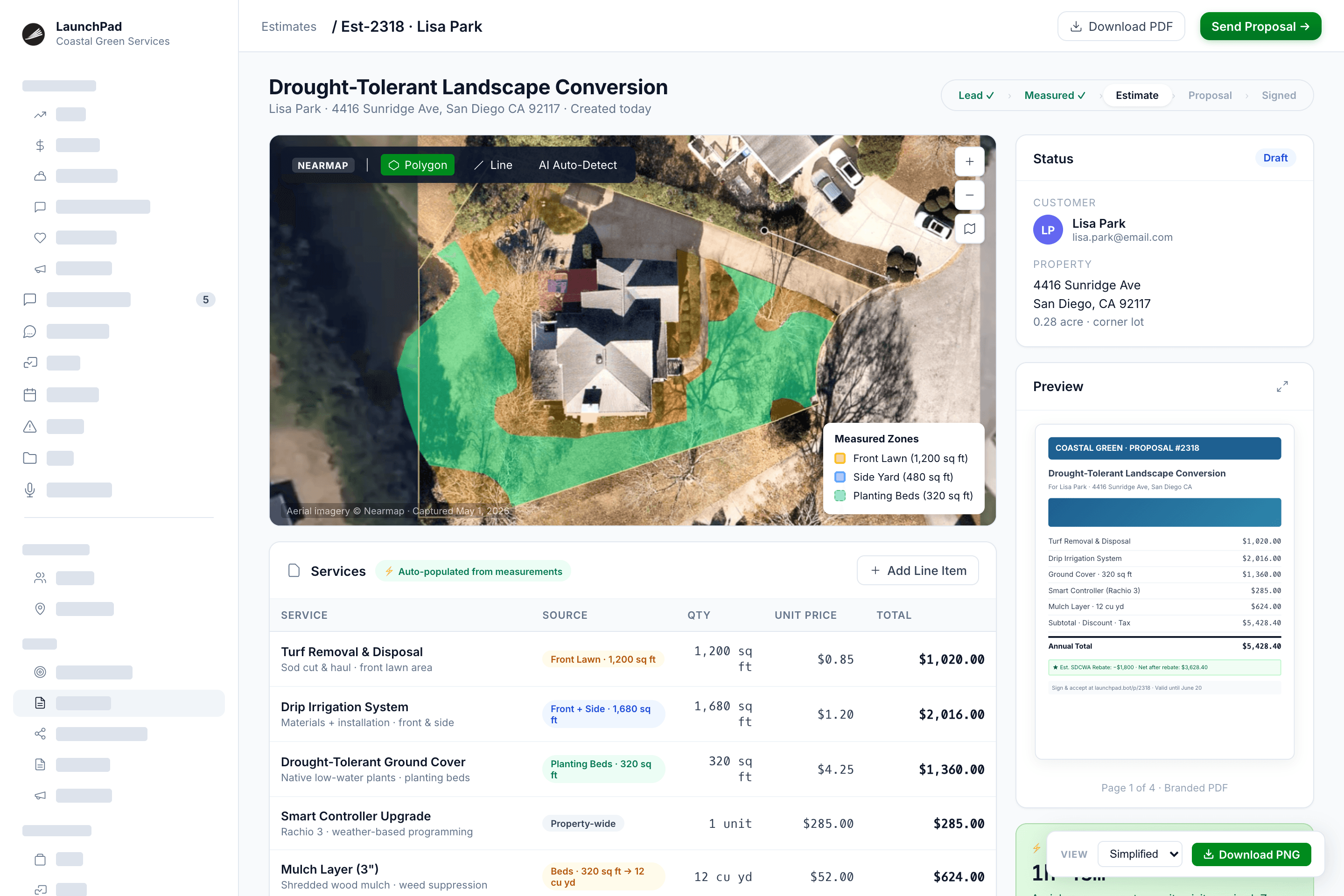
Critical for landscape estimating and turf installation: LaunchPad OS includes remote measurement tools, unlike every one of our competitors.
Why it matters
A 10% measuring error on a 2,000 sq ft turf install costs $1,600+ in unplanned material. A proposal that takes 3 days to deliver loses the job. Both problems end here: The first contractor to respond wins the job, and the one who estimates most accurately has the healthiest margins. LaunchPad OS makes sure that contractor is you.
Customer & Property Management
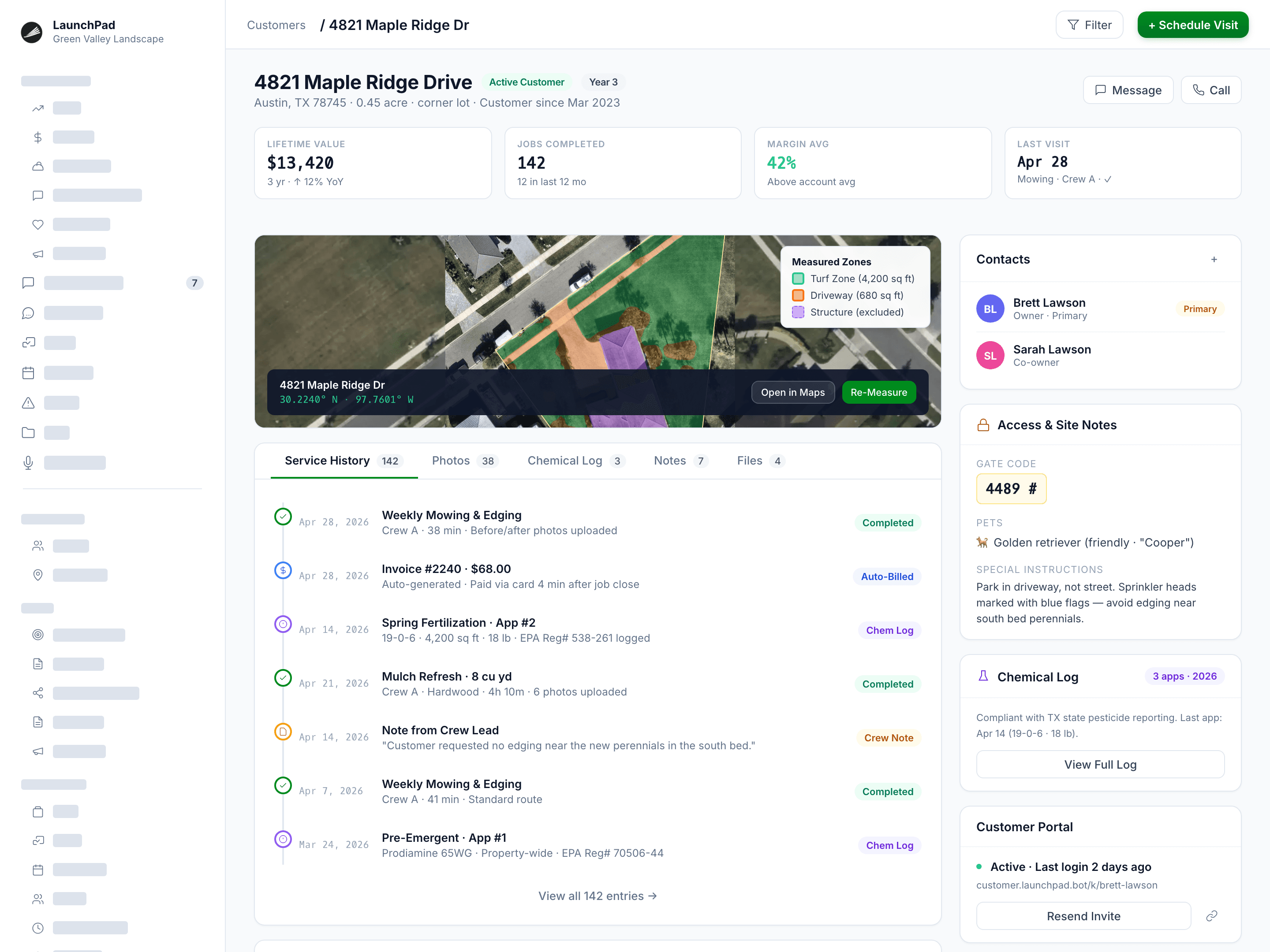
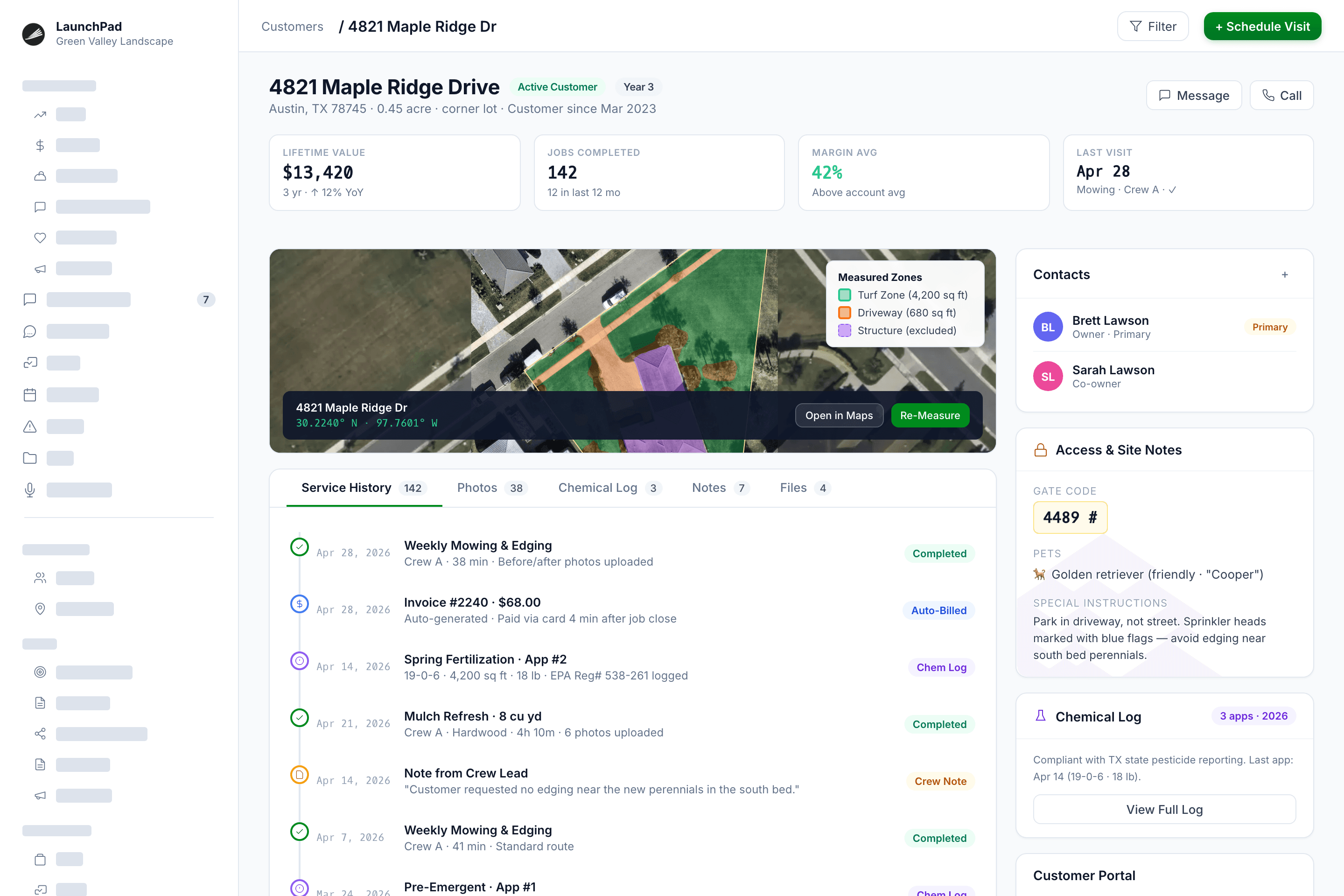
Every property your crews service in one searchable record: Every job, photo, note, and measurement on file
- Full property records: Access GPS coordinates, parcel boundaries, and aerial imagery
- Complete property history: Associated contacts, service history, job photos, and completion records — per property
- Property access details, site notes, & customer preferences: Visible to the crew in the field
- Chemical application history per property: Logged at the stop level
- Customer communication timeline: Every call, text, email, and web chat — on the customer record, not on someone's phone
- Customer portal: Estimate acceptance, invoice payments, and job status — accessible without a phone call
Why it matters
The moment a new crew member needs to call the office to ask what gate code to use, you've got a process problem. Property records in LaunchPad OS travel with the job to eliminate that call, and the ones that cost you the account when something falls through.
Scheduling & Operations
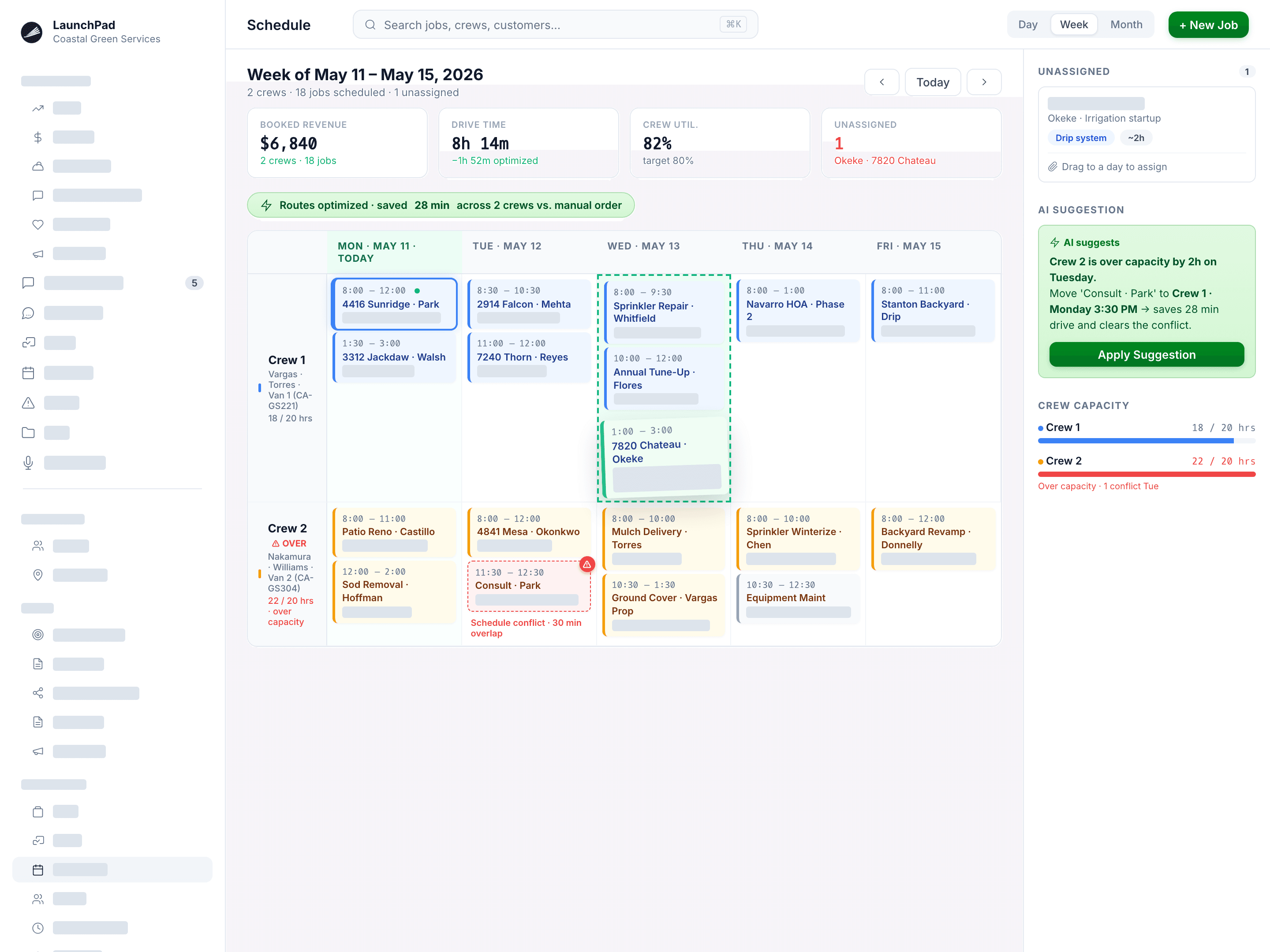
Your whole week on one screen. Smart crew routing. Changes that reach your crew as they are made.
- Drag-&-drop scheduler: Conflict detection and crew capacity awareness built in
- Recurring jobs with flexible frequency: Weekly, bi-weekly, monthly, seasonal
- Weather-aware scheduling: Flag jobs at risk from forecasted rain or frost
- Smart route optimization: Reduces drive time and fuel cost across multi-stop routes
- Crew assignments: Matched to skill, equipment, and service type
- Schedule changes push instantly to crew phones: No more text chains or phone-call updates
Why it matters
If your crew leader calls you before 8 AM to ask where they're going today, the schedule isn't working. The scheduler in LaunchPad OS does its job like clockwork, for every crew, at every location, without you having to give them verbal instructions.
Field Execution
Your crew arrives knowing what to do and can document it. All saved to the job record in real time. Invoicing fires as soon as work is complete.
- Mobile crew app: Daily route, job details, customer notes, and site photos on any phone
- Before/after photo & video capture: Files attached to the property record, timestamped and geotagged
- Service checklists: Required completion before a job closes, customizable per service type
- Chemical application logging: Chemical name, EPA registration number, concentration, method, technician, weather, and date recorded at every stop
- Time tracking with GPS clock-in/clock-out: Automatic with geofencing
- Issue reporting: Crews flag damage, access problems, or service exceptions in the field; you get notified immediately
- Offline mode: Works without a signal, syncs when connectivity returns
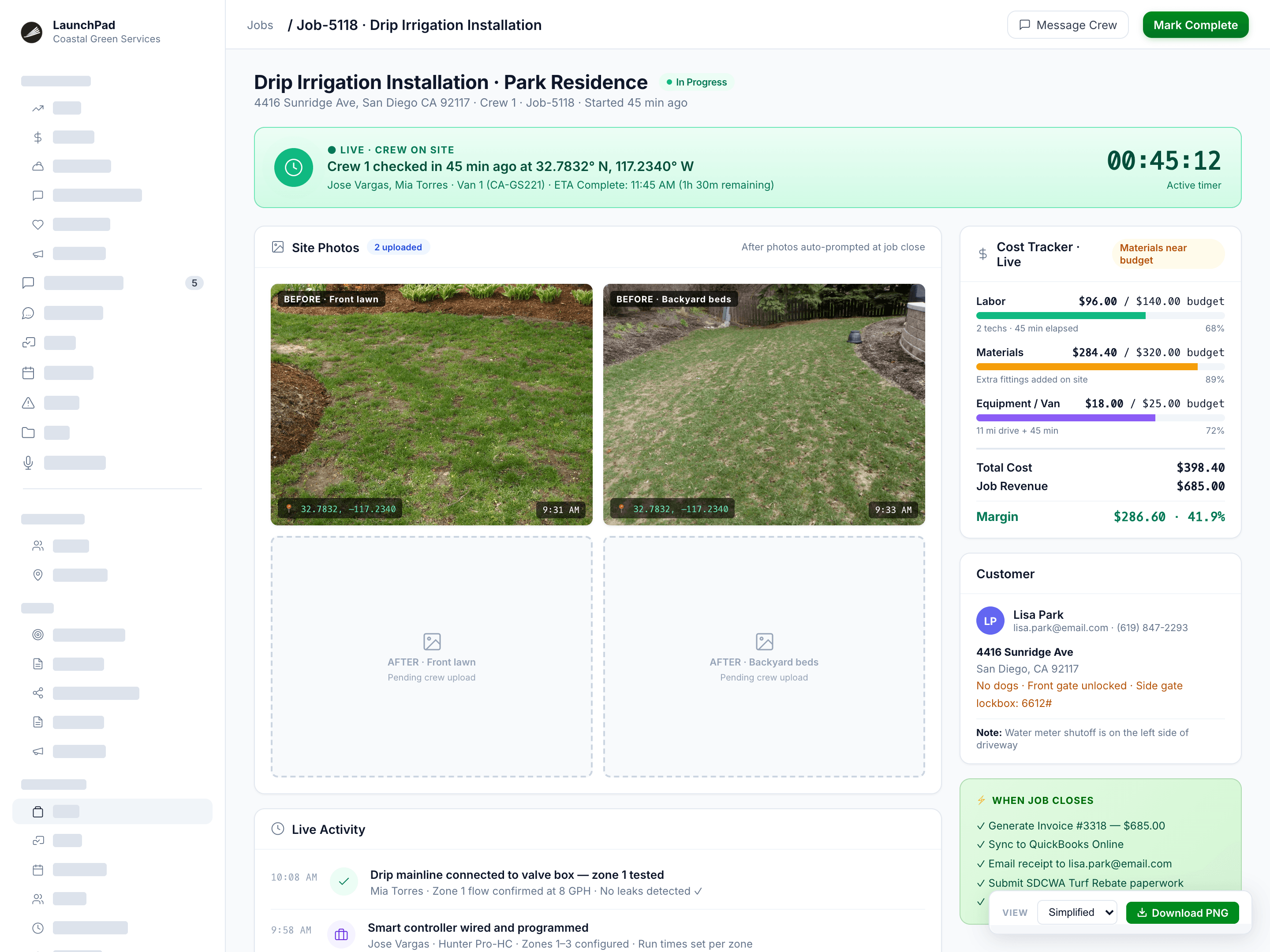
Chemical logging is required for any business applying regulated substances: Fertilization, weed control, and pest & mosquito operators must have per-stop documentation to meet state inspection requirements.
Why it matters
When a state inspector asks for your application records, or a customer disputes whether a service was completed, you need documentation that was created in real time — not reconstructed from memory three weeks later.
Billing, Payments, & Financials
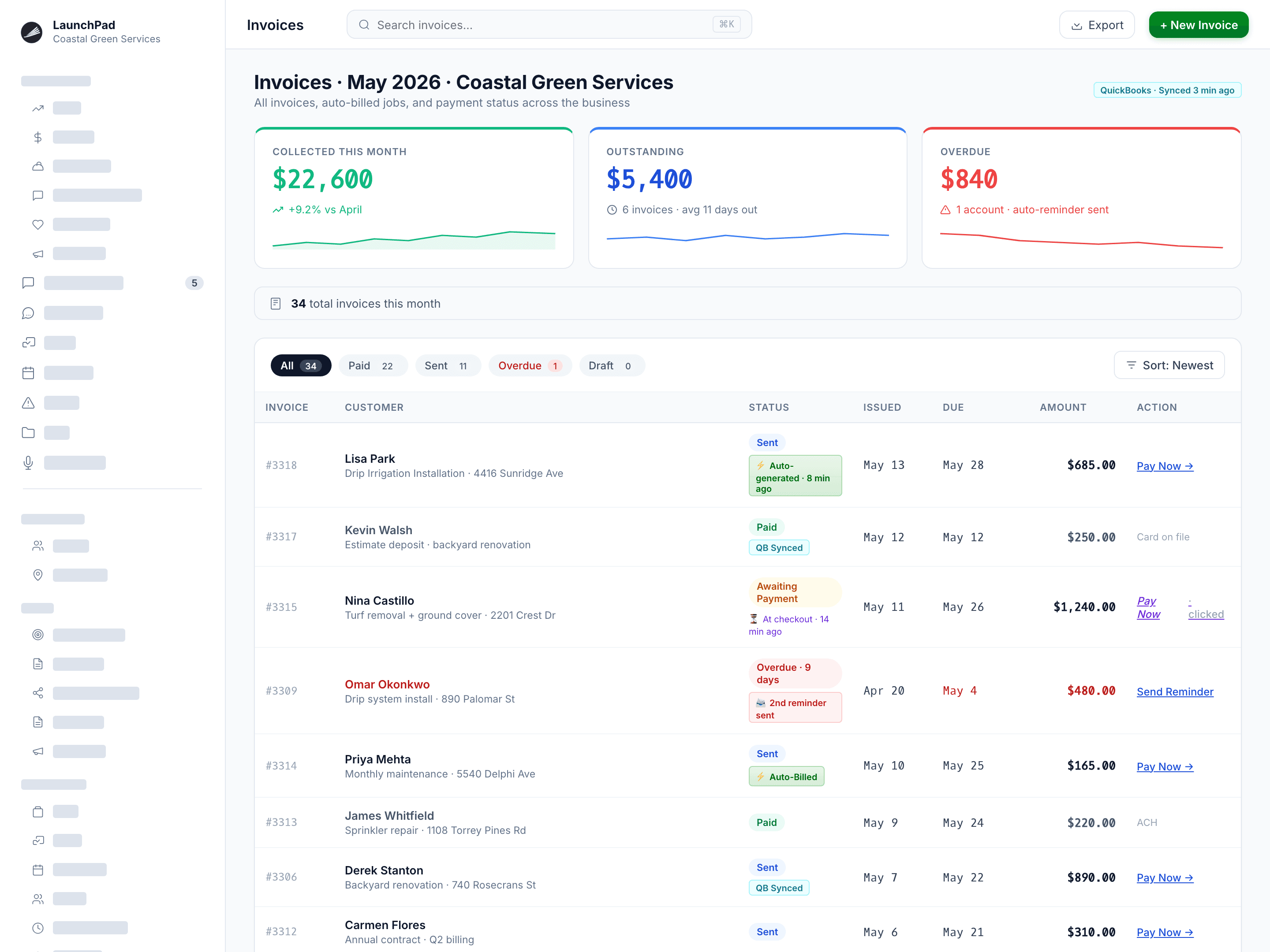
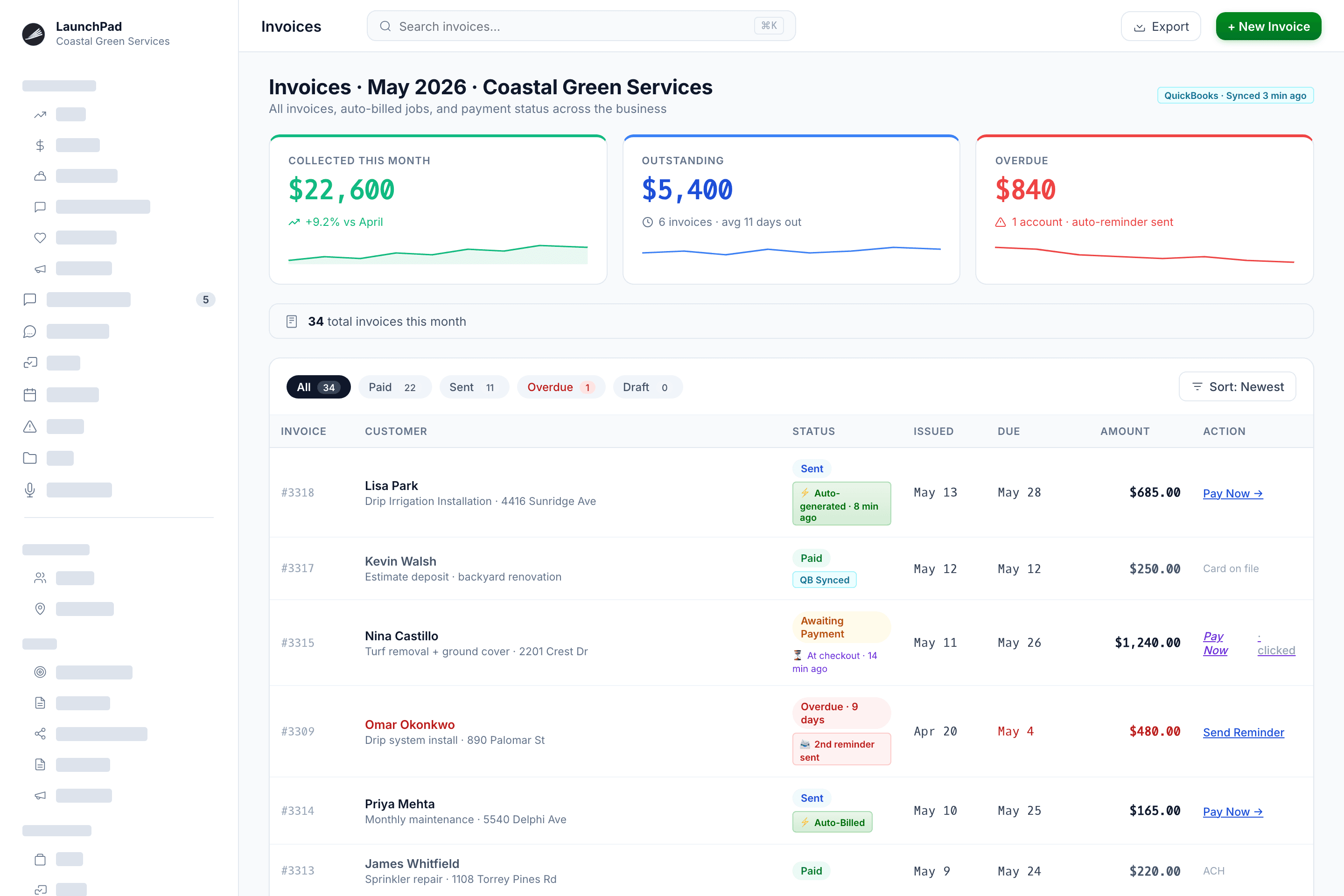
The invoice sends the moment a job is closed. Payment is collected from stored cards. QuickBooks updates automatically. You stop discovering lost margins at tax time.
- Auto-invoicing on job completion: Or pre-scheduled, milestone-based, or manual, whichever fits the work
- Payment acceptance: Card, ACH, or Tap-to-Pay on site
- Stored payment methods: Auto-bill recurring customers without chasing payment every month
- QuickBooks Online sync: Invoices, payments, expenses, and customer records, included at every tier, no connector fee
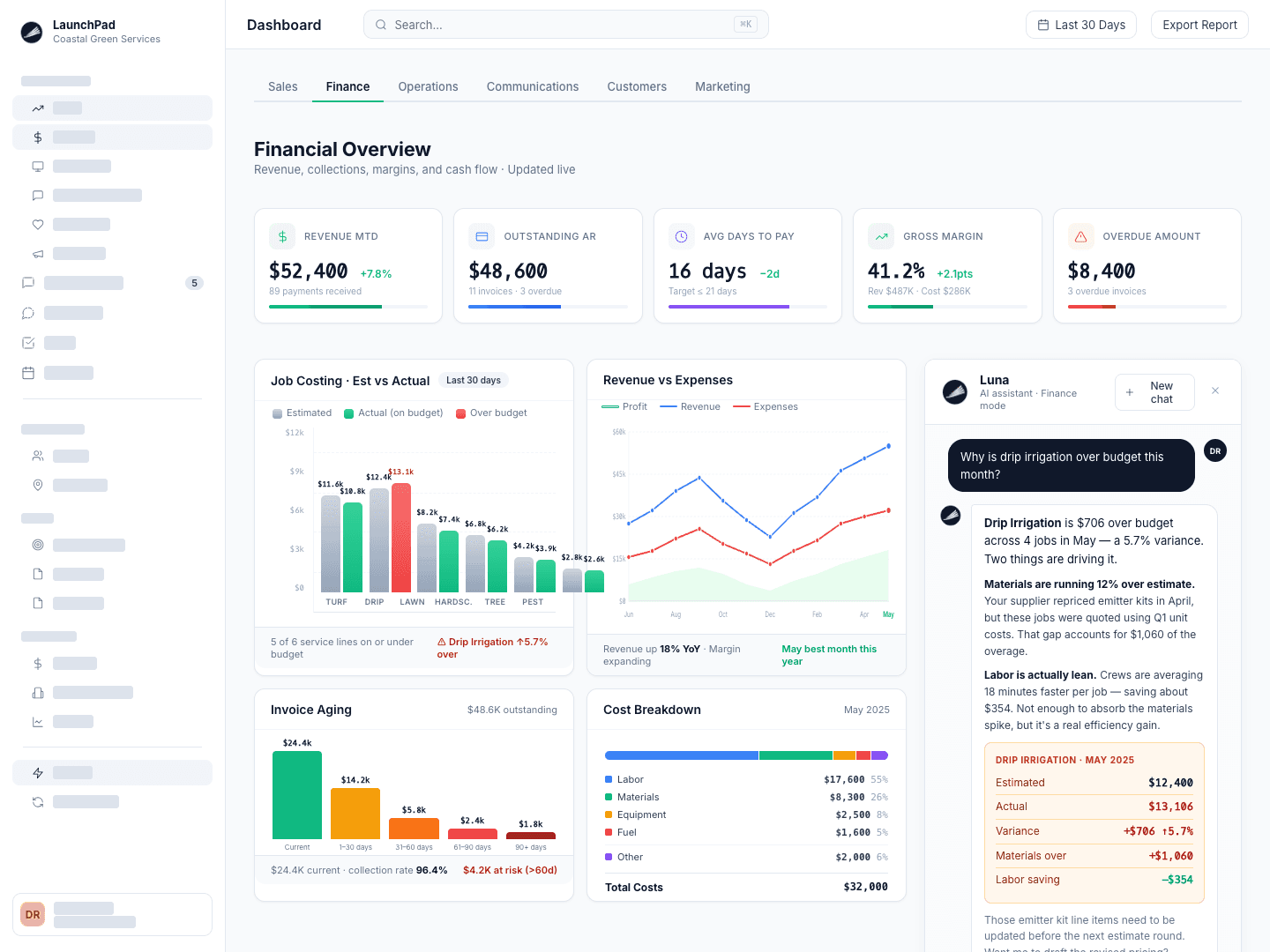
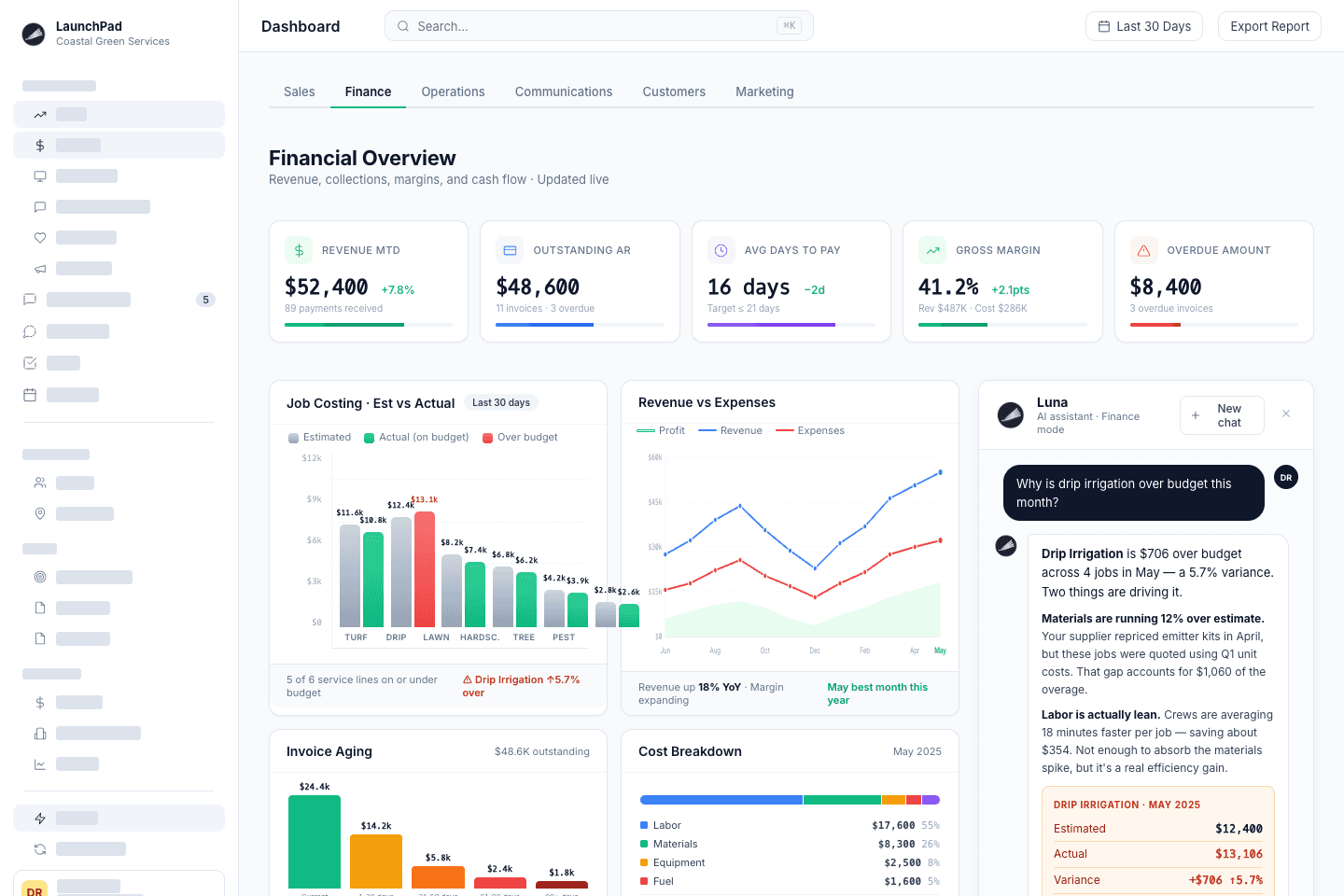
- Real-time job costing: Estimated vs. actual labor, materials, and overhead per job
- Expense tracking: Receipt capture, allocated to jobs or overhead
- Invoice aging and AR reporting: See who owes you what, in which aging bucket
Why it matters
The gap between work completed and cash collected is where field service businesses quietly bleed out. LaunchPad OS closes that gap by making invoicing an automatic consequence of the job — not a tedious, time-consuming task that competes with running it.
Dashboards & Reporting
Know which properties, jobs, crews, and service lines are making you money. Right now, not at year-end.
- Revenue and margin dashboard: By property, crew, route, service type, or time period
- Job costing dashboard: Estimated vs. actual across all active and completed work
- Pipeline and sales dashboard: Open bids, close rate, average deal size, revenue at risk
- Crew performance reporting: Utilization, labor efficiency, revenue per labor hour
- Account health: Customer retention, churn prediction, lifetime value tracking
- Cash flow forecasting: Projected inflows, outflows, and revenue at risk over the next 30, 60, and 90 days
- Custom reports on demand: Ask Luna, the built-in AI assistant, for any report in plain language; it builds it
Why it matters
"I think we're making money" is not a business strategy. LaunchPad OS gives you the global budgets you need to plan successfully and the numbers that replace gut feel with actual, real-time data, so you know exactly where you stand while the season is still in full swing, not after it's over.
Automated Workflows & Built-In AI Assistance
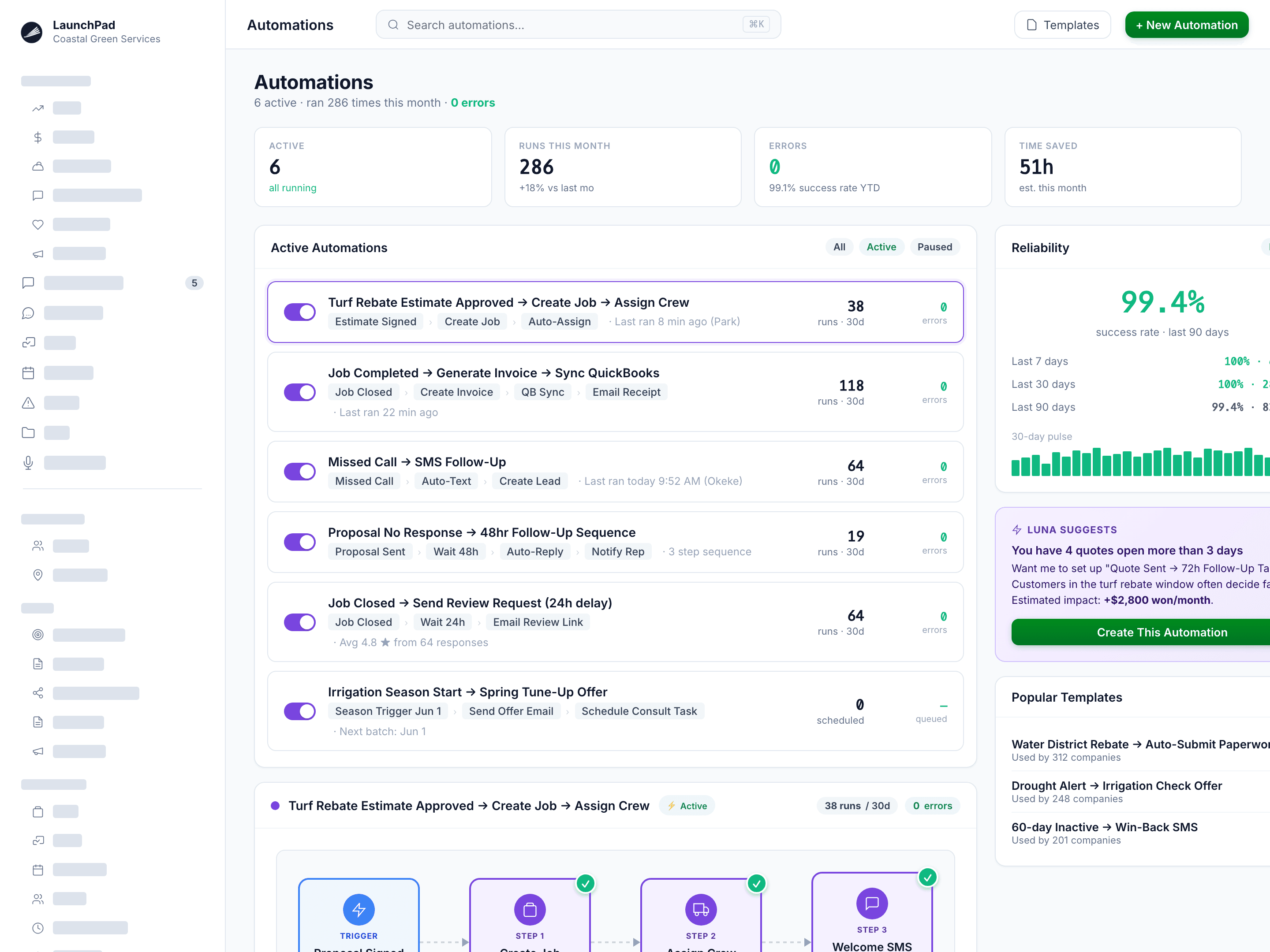
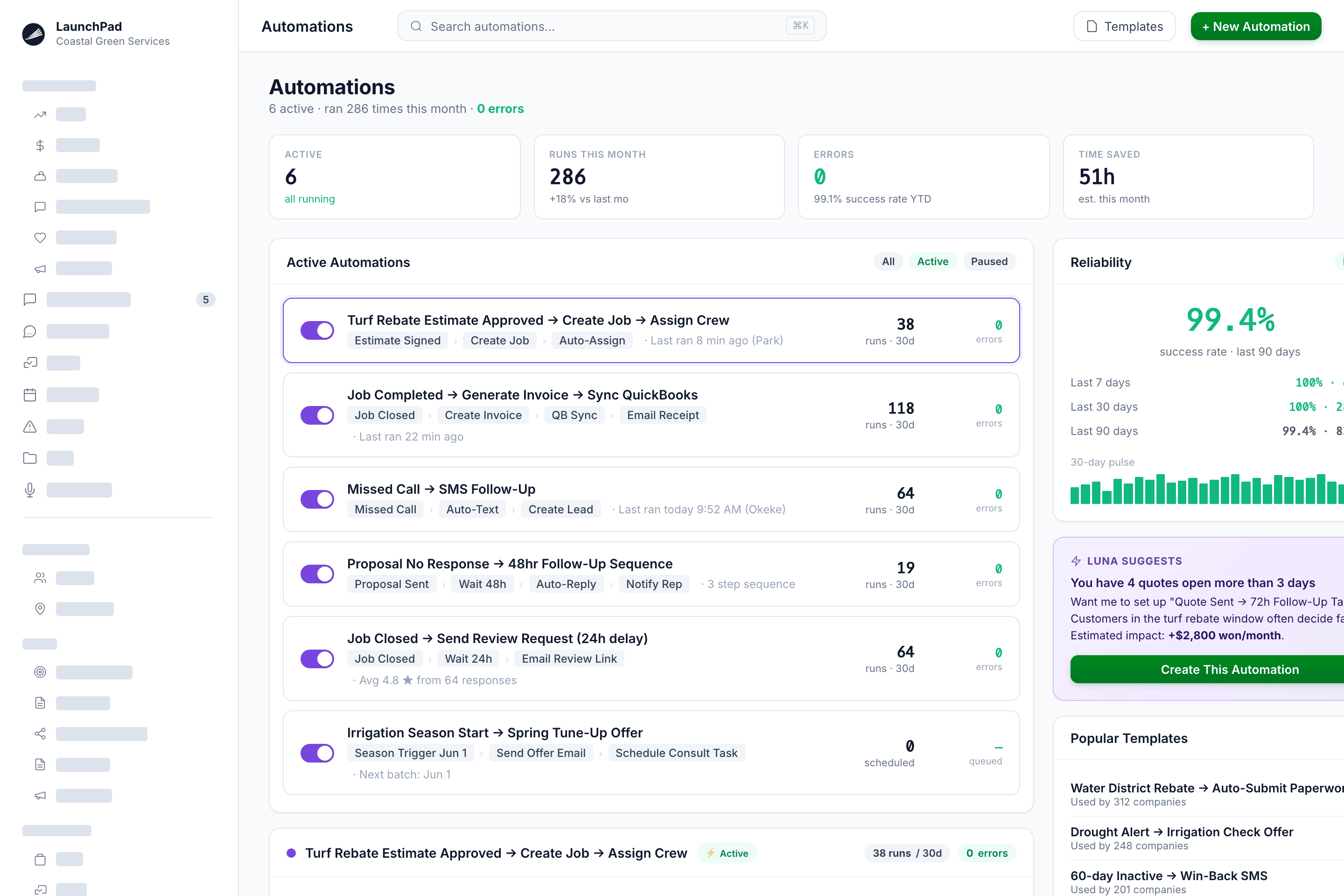
Tasks that often fall through the cracks, like renewals, reminders, follow-up sequences, reporting, handled without you setting up a thing.
- Automated renewal reminders: Sent to the right customers at the configured time before service lapses
- Bid follow-up sequences: Automated outreach when a proposal hasn't been accepted within a set window
- Automated review requests: Sent the moment a job closes, routed to Google, Yelp, or your preferred platform
- Built-in AI assistant (Luna): Ask it to pull any report, send any message, or walk you through any feature; in plain language, no menus
- Visual workflow builder: Drag-and-drop triggers, conditions, and actions; no code required, no consultant needed
- Scheduled automations: Recurring billing sweeps, follow-up batches, renewal campaigns
Why it matters
Every operator has a list of things they know they should be doing but don't, because there's no time. If only you could clone yourself, right? With LaunchPad OS, you don't need a clone — it simply does those things, on schedule, on your behalf, without being asked twice.
Field service crew management app: Unlimited users, no extra charge
Full schedules, job details, customer notes, chemical application logging, time tracking, and photo capture — on any phone, for every crew member, at no additional cost. If they can use a navigation app, they can use this.
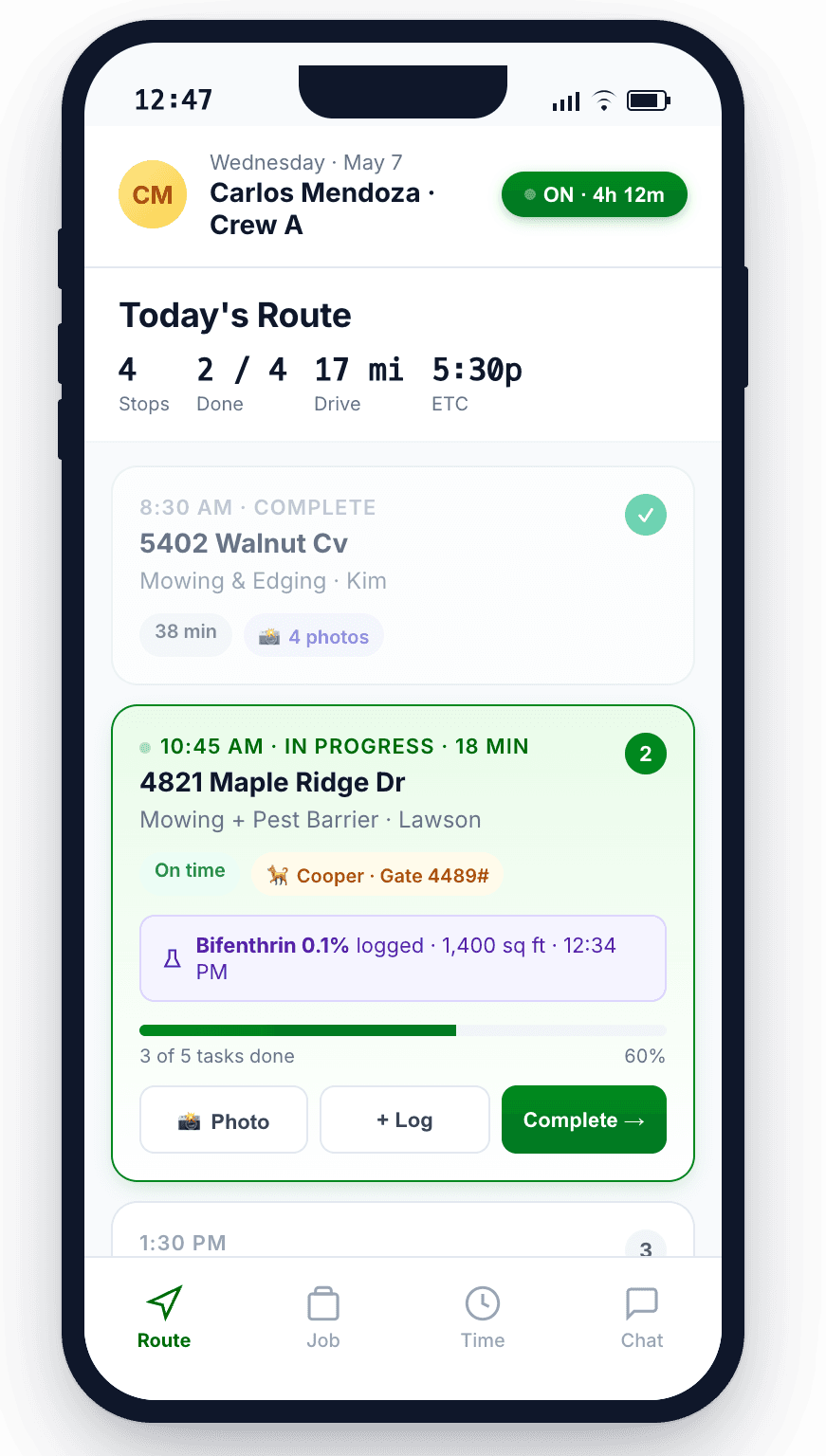
Available on iOS and Android for LaunchPad customers. Works on any smart phone — cracked screens included.
Features designed to handle what's important
for your operations
Not every field service operation needs the same things. Here's what companies in each industry rely on most, and where LaunchPad's capabilities align closest to your work.
Operators & route crews
- Per-property pricing and acreage-based estimating
- Recurring route management with drag-and-drop scheduling
- Chemical application records for fertilization and weed control programs
- Unlimited crew app access: No per-user fee regardless of headcount
- Automatic invoicing when the last route stop closes
- Renewal reminders before seasonal contracts lapse
Estimators & install crews
- Remote aerial measuring: Eliminate the site visit and windshield time for most bids
- Material takeoffs for hardscape, mulch, planting, and irrigation
- Separate scheduling for recurring maintenance routes and project-based installs
- Real-time job costing on active projects: Know your margin before the crew packs up
- Change orders with digital signature via secure approval link — text or email the customer from the job site
Installers & project crews
- Remote measuring with automatic turf-specific material calculations: Roll counts, infill quantity, base material volume, seam waste
- Professional proposals with aerial imagery — sent from your desk before competitors schedule their site visit
- Project scheduling and milestone tracking for multi-day installs
- Photo documentation for warranty and dispute protection
- The only field service platform with turf-specific material calculations built in
Spray & application crews
- Chemical application logging at every stop: Chemical name, EPA number, concentration, technician, weather, date
- One-click compliance reports for any property or date range
- 21-day cycle scheduling and renewal management
- Automated renewal reminders before the spray season opens
BETTER NUMBERS IN WEEKS, BETTER WEEKENDS EVEN SOONER
Skip the menus and a million clicks.
Reclaim your weekends.
Luna AI is built into every part of LaunchPad OS. Type what you need: It builds the estimate, pulls the report, sends the invoices, flags the unprofitable routes. Not a chatbot that deflects. An agent that acts.
Sunday 7:42 PM, Luna surfaces a margin problem and queues the fix.
What did you used to spend Sunday night doing?
THE MEASURING IN YOUR PLAN

LaunchPad Map is a product people buy on its own. You get it in every plan.
Most platforms treat measuring as a checkbox, then point you at Site Recon or Attentive and a second invoice. LaunchPad Map is a standalone product with its own app and its own customers. Measurements off aerial imagery at your desk. AR + LiDAR on your phone when you have to walk it. Every number writes straight to the property record your estimate is built from.
Included in every LaunchPad OS plan. No add-on module, no second subscription.
Learn More
Book a demo of LaunchPad OS field service
management software
Not a recorded walkthrough or a two-hour call after 5+ previous conversations. A simple 30-minute conversation with the AI assistant in LaunchPad OS, followed by a live session built around your business, your workflow, and the specific problems you're trying to solve.
No implementation fee. No consultant needed. No multi-year contract required. Pay monthly or annually (for a 15% discount). And your customer records, invoices, estimates, jobs, and job visits go with you.